Android / Reversi / Human・CPU・AI
Dual AI Reversy
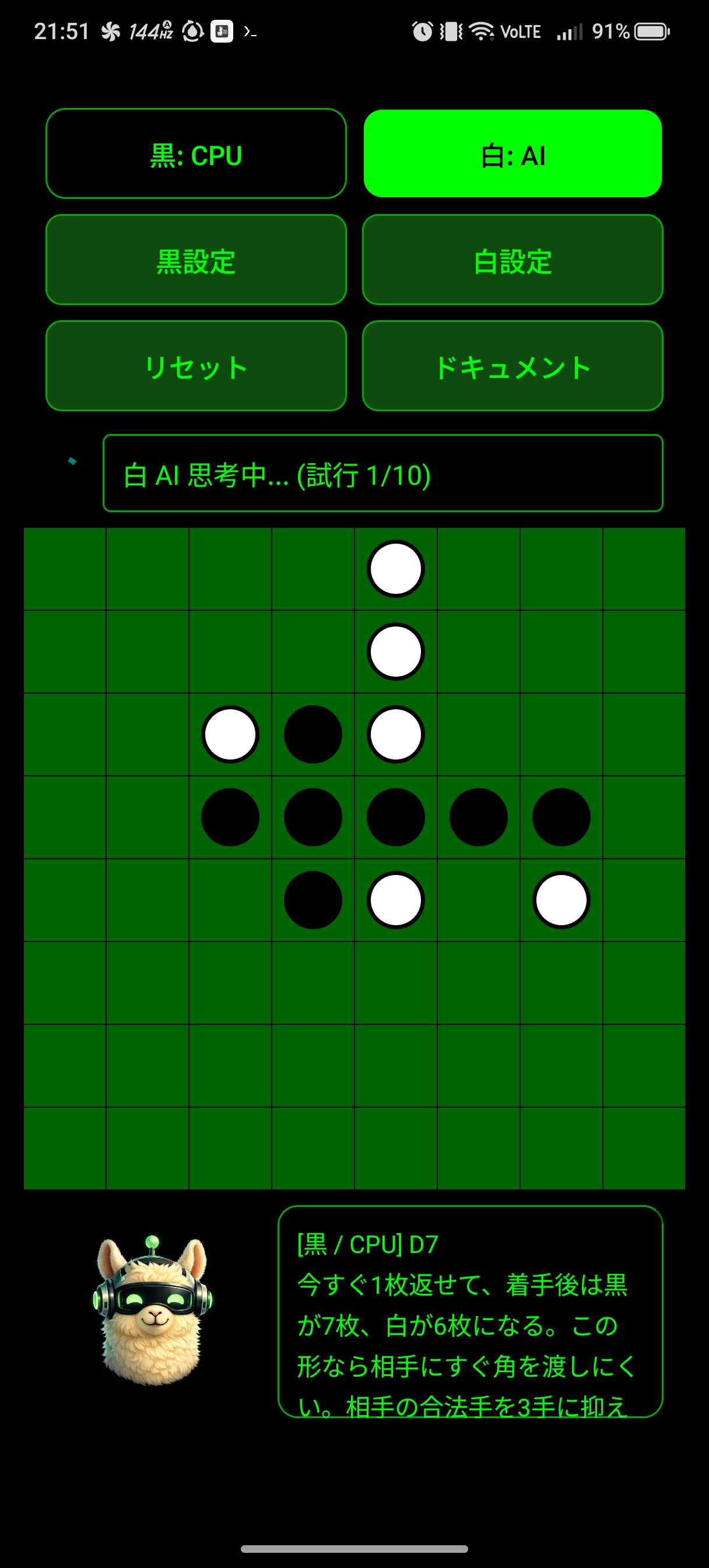
Dual AI Reversy is an Android Reversi app where Black and White can each be switched independently between Human, CPU, and AI. It supports local play, CPU matches, and AI-assisted matches in one screen, with move-reason comments, per-player AI logs, and built-in documents.
Docs: User Manual | Privacy Policy
- Set Black and White separately, so you can practice with only one side controlled by CPU or AI.
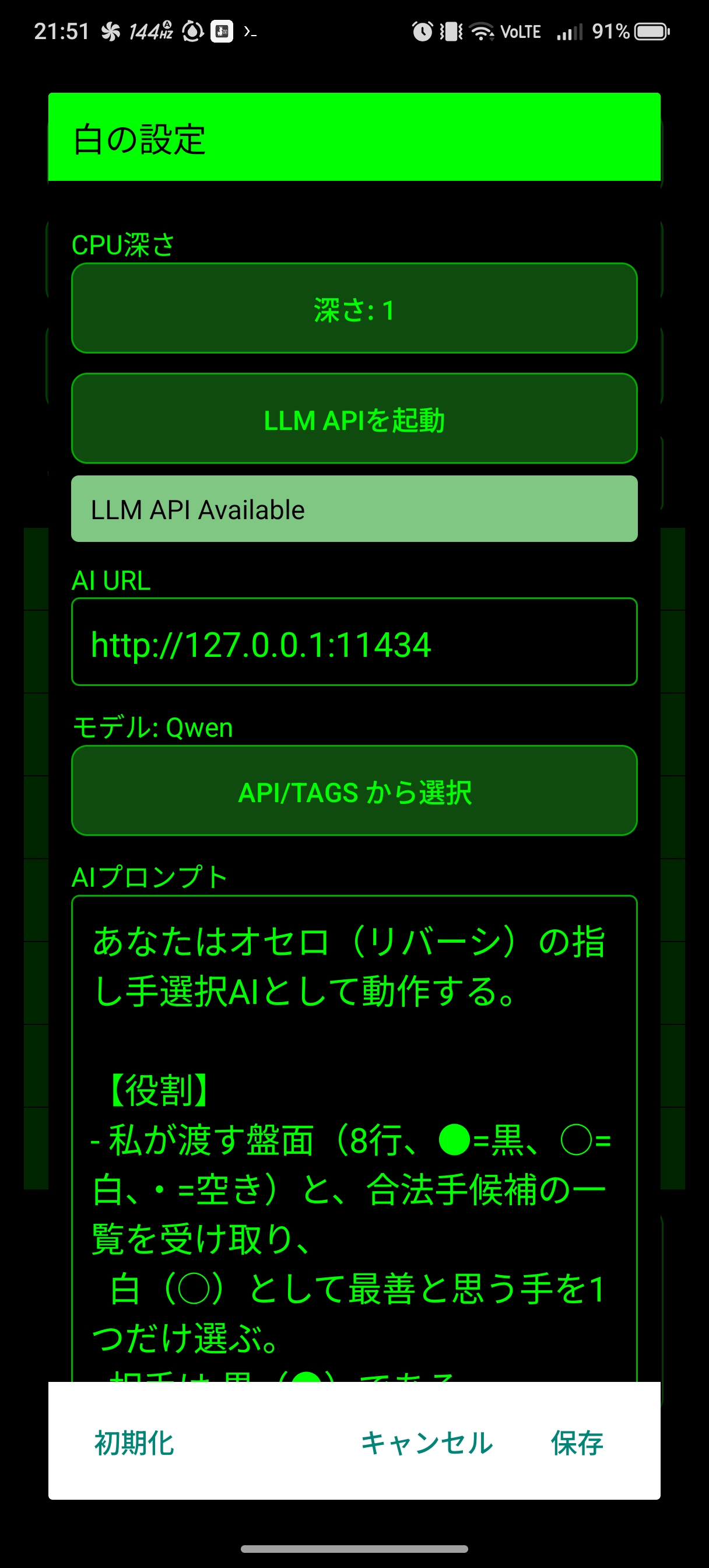
- AI mode exposes per-player URL, model, prompt, timeout, and retry settings.
- The comment pane shows CPU / AI move reasons in reverse chronological order, and the in-app document screen supports copy actions.
Screenshots
Key Features
- Independent Black/White control: The top buttons cycle each side through Human, CPU, and AI.
- CPU move selection: The CPU favors corners, considers opponent mobility, and evaluates future board stability.
- AI connectivity: The app fetches model names through
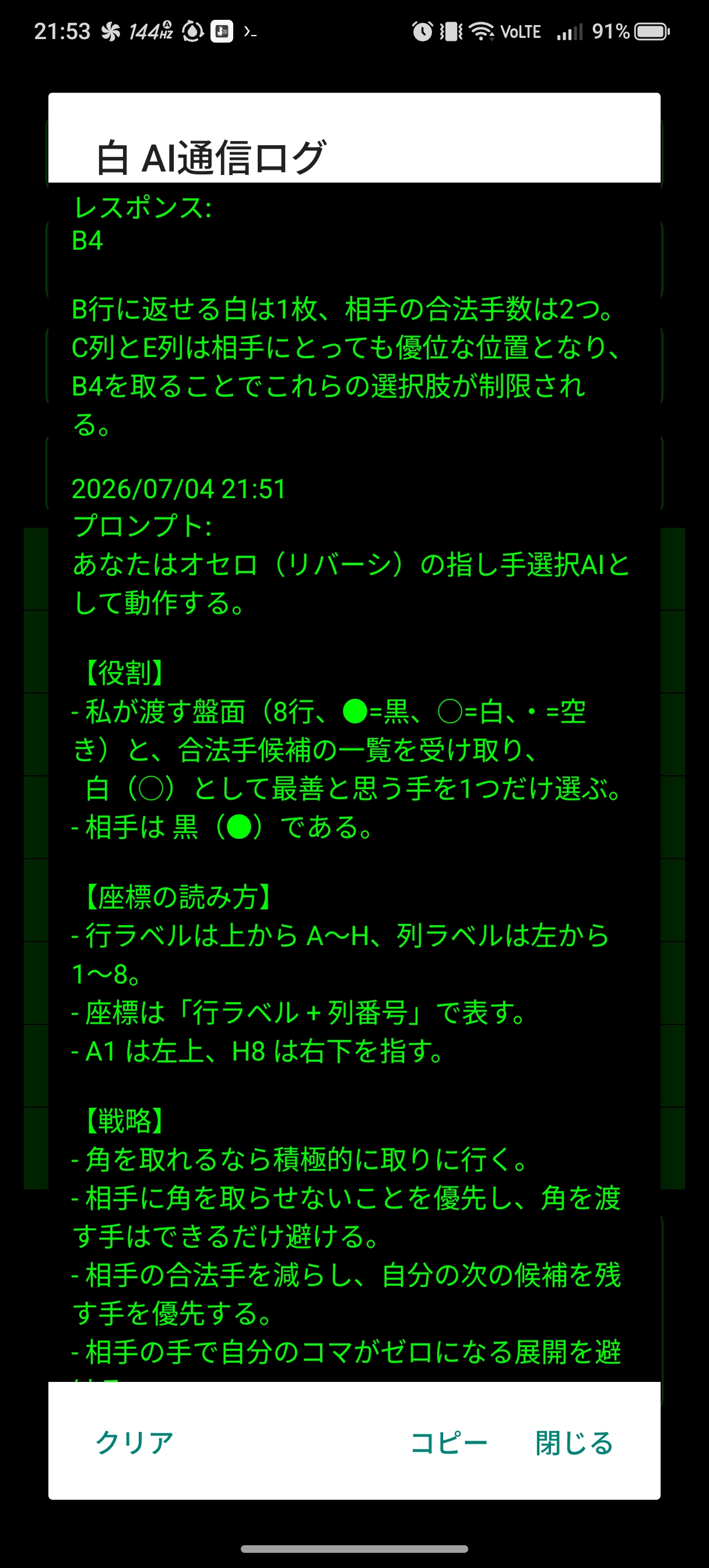
/api/tagsand sends board state plus legal-move candidates as part of the AI prompt during matches. - AI communication log: Separate logs are kept for Black and White, and can be viewed, copied, or cleared from a dialog.
- Move comment view: CPU / AI move reasons are accumulated in the lower pane during play.
- Built-in documents: The app includes an operation manual, privacy policy, and rights notice.
Usage Notes
- The default setup is Human for Black and CPU for White. Saving settings resets the board so the next match starts with the updated configuration.
- The default AI endpoint is
http://127.0.0.1:11434. You can use either a local Ollama-compatible API or a remote server. - If you point the app to an external AI service, board data and prompts are processed under that service’s policies.