Android / Ollama-compatible chat / Voice
Dual AI Chat
Dual AI Chat is an Android chat client for user-configured Ollama-compatible servers. It combines single-model chat, two-AI back-and-forth chatter, voice input, TTS, avatars, settings profiles, optional web search, and debug logging in one app.
Docs: User Manual | Privacy Policy
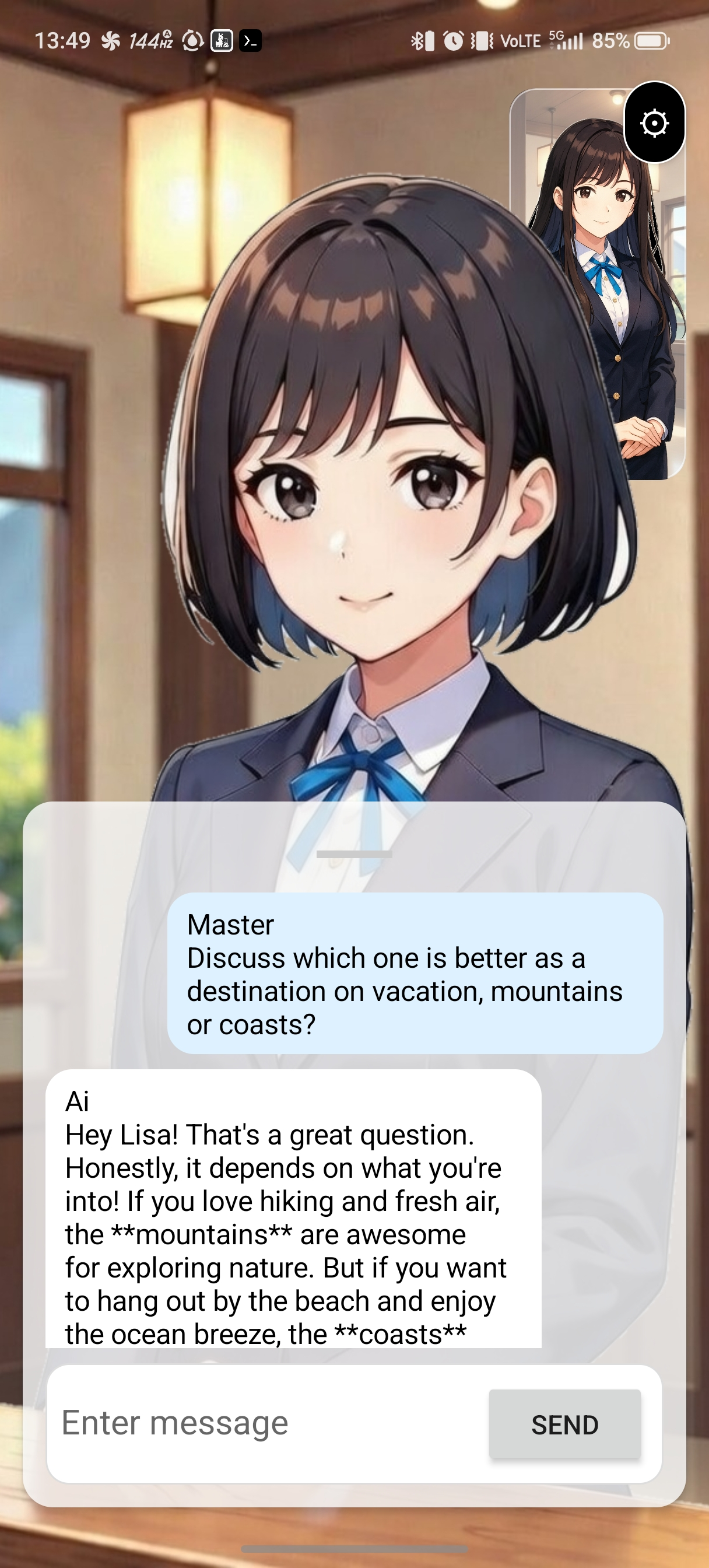
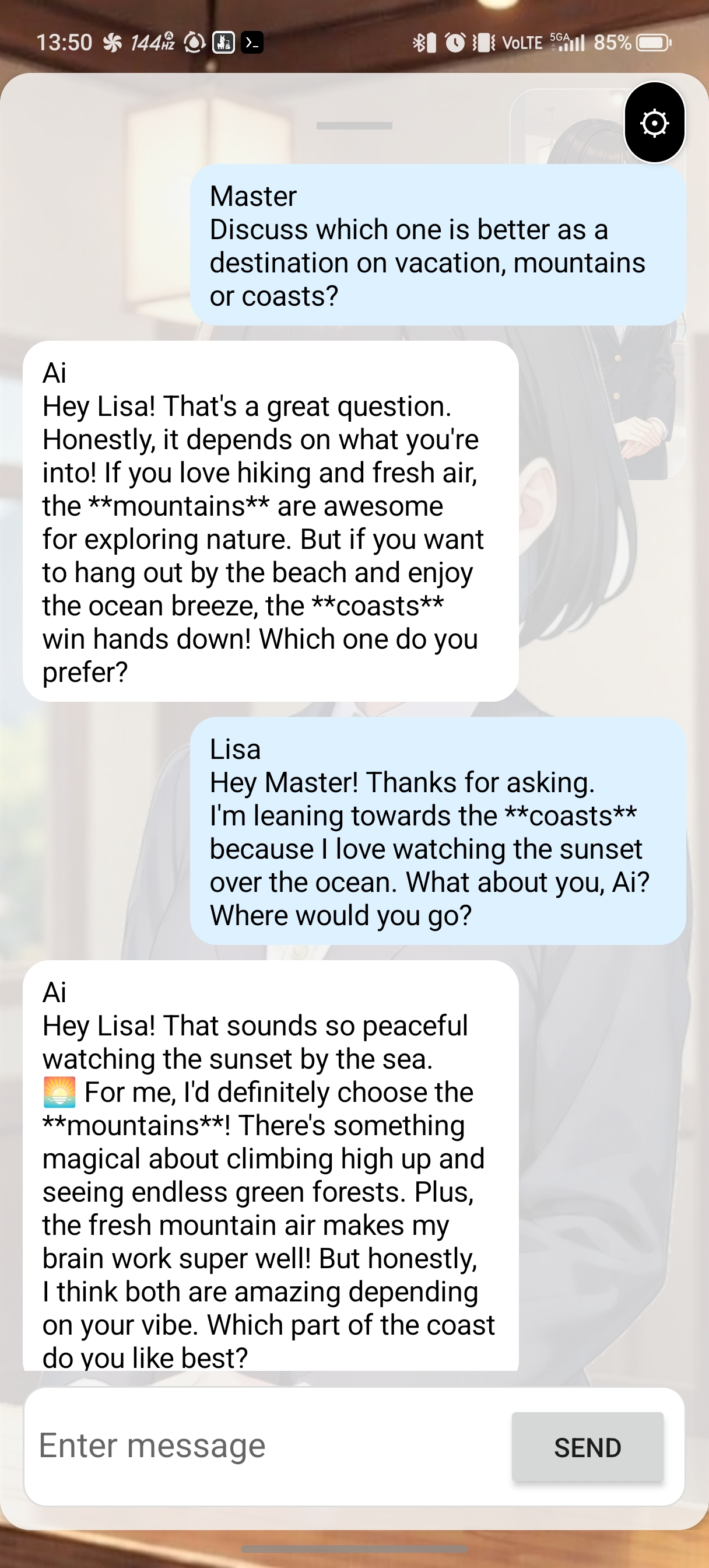
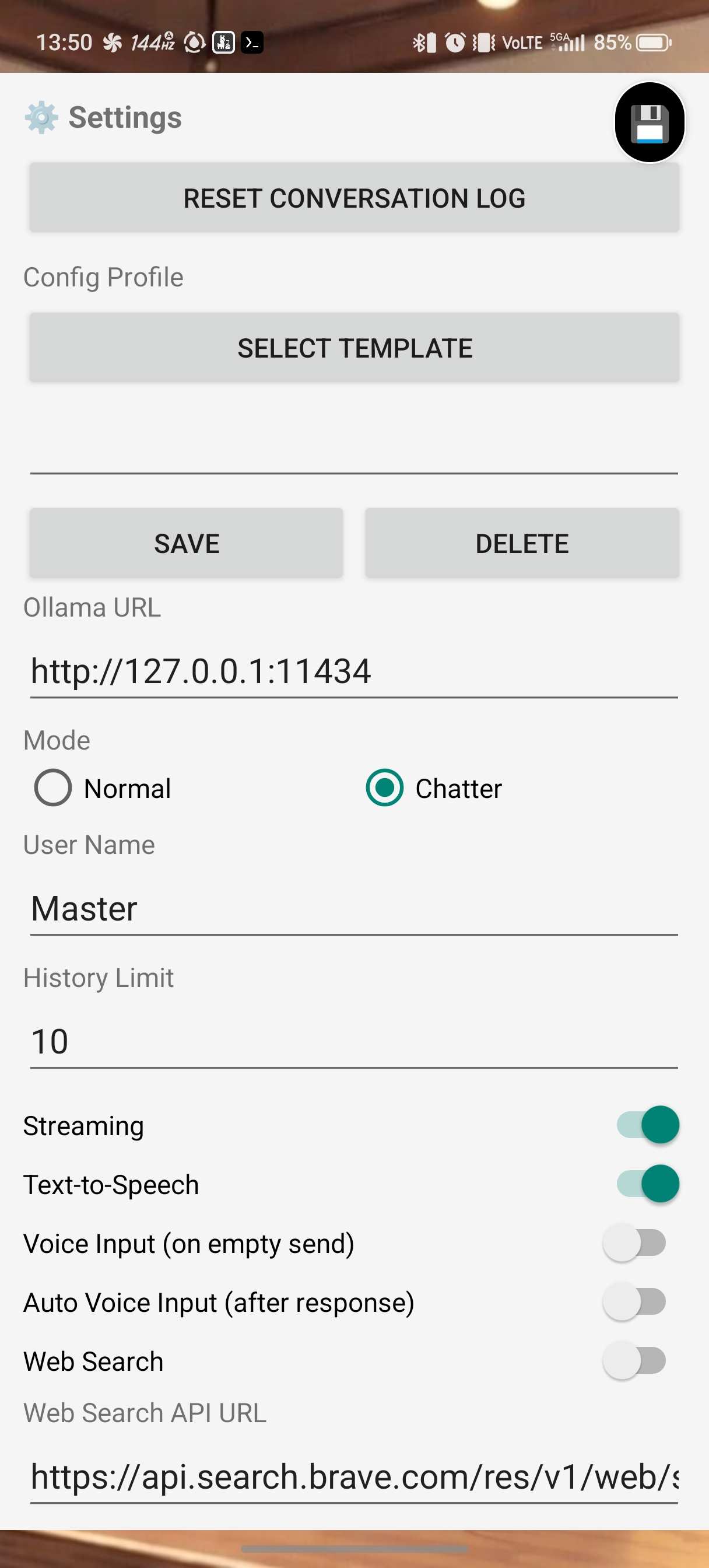
- Use Normal mode for one-model chat or Chatter mode for alternating turns between Base and Chatter Partner.
- Voice Input, Auto Voice Input, and Text-to-Speech make hands-free interaction possible.
- Profiles, avatar images, search APIs, and Debug Mode are managed locally on the device.
Screenshots
Key Features
- Connects to your Ollama-compatible server: On startup and when settings are opened, the app calls
/api/tagsto refresh model lists and the connection-status tile. - Normal and Chatter modes: Base and Chatter Partner can each have their own model, name, system prompt, and speech settings.
- Voice interaction: When Voice Input is enabled, pressing Send with an empty input field starts speech recognition. TTS and Auto Voice Input are also available.
- Settings profiles: Save, load, and delete profiles, including the avatar images associated with them.
- Web Search and Debug Mode: Add search results from custom or Brave-compatible APIs into the chat context and inspect API request/response logs.
- Avatar system: Configure c0 (background), c1 (base), c2 (blink), and c3 (talking) slots separately for Base and Chatter Partner.
Usage Notes
- You can use the built-in API from LLM AI Server with llama.cpp or any other Ollama-compatible server, whether local or remote.
- Server URLs and search APIs are chosen by the user. If you use remote servers or third-party APIs, those providers process the request data under their own policies.
- In the current implementation, conversation history is kept in memory during the active session and is not persisted across app restarts.